Outlook: In-Line Vision Systems for Stamping QC
In-line vision systems are redefining stamping quality control by enabling real-time defect detection on the production line. Executives should plan for shifts in inspection frequency, data management, operator training, tolerance strategy, vendor selection, and system integration to adopt quality automation effectively.
- Vision systems shift stamping QC from periodic sampling to continuous, real-time inspection of every part.
- Quality automation requires changes beyond hardware: data handling, tolerance strategy, operator roles, and line integration.
- Start with a pilot on one critical defect type rather than a full-line rollout.
- Prepare your team for data management and decision-making workflows, not just camera installation.
- Evaluate vendors on practical integration with your existing line, not just camera specs.
How In-Line Vision Changes the Inspection Model
Stamping QC has traditionally relied on periodic sampling. A quality engineer walks the line every hour or shift, pulls a sample of parts, and checks dimensions with gauges or a CMM. That model catches problems, but it catches them after the fact. A bad die set can run for an hour before someone notices.
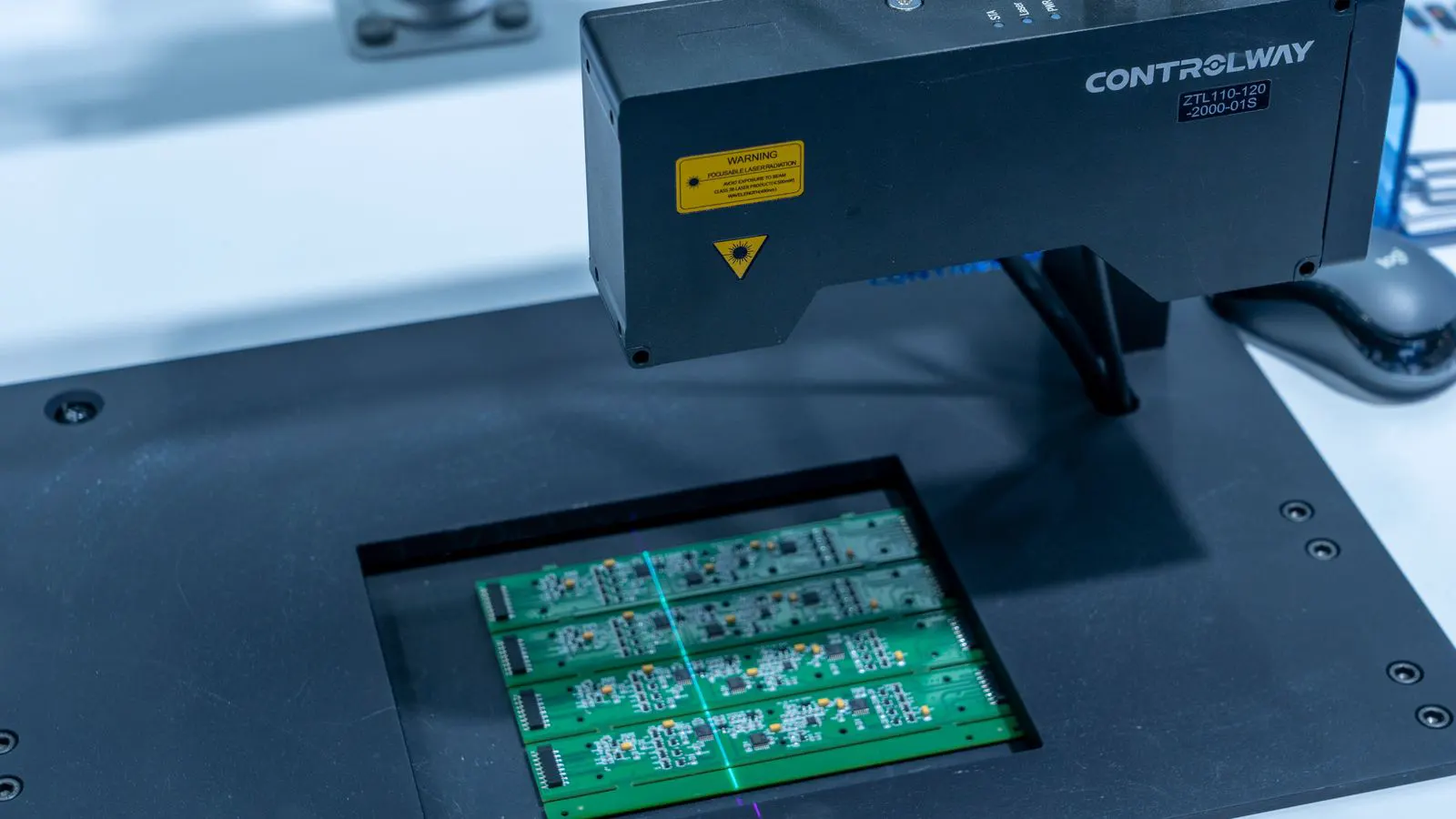
In-line vision systems replace that periodic check with continuous monitoring. A camera, often paired with structured light or 2D imaging, captures every part as it passes a fixed point on the line. The software compares the image against a digital model of the part and flags deviations in real time. The shift is not just about seeing defects faster. It is about changing when and how quality decisions are made.
This matters for stamping because defects like edge breaks, burrs, dents, and misalignment often compound. A small burr on a blank can cause a failure downstream in assembly. A misaligned part can stress a press or damage a tool. Catching these at the source, on the line, changes the cost of quality.
The Five Shifts Buyers Should Plan For
1. From Sampling to 100% Inspection
The first shift is the most direct. With vision systems, you inspect every part. This sounds simple, but it changes the meaning of a quality metric. A 0.1 percent defect rate under sampling might actually be a 0.5 percent rate. You no longer estimate. You measure.
For executives, this changes risk exposure. A small defect rate that was previously “acceptable” may no longer be when every part is checked. You will need to revisit your acceptance criteria with your customers. Some will welcome full inspection. Others may have contractual language written for sampling. Plan for those conversations early.
2. From Manual Records to Data Streams
A manual gauge produces a number on a log sheet. A vision system produces a data file. Every inspected part generates an image, a measurement record, and a pass/fail decision. That data accumulates quickly.
You will need a place to store it and a way to query it. You will need to define how long you keep records and who can access them. You will need to decide whether defect images are linked to the part serial number, the die number, the shift, or all three.
This is where many projects stall. The camera works. The software flags defects. But the data sits in a folder no one uses. The data stream becomes a liability if you do not build a simple reporting layer on top of it.
3. From Operator as Inspector to Operator as Exception Manager
In a sampling model, the operator or quality tech is the inspector. They take measurements, record them, and flag problems. In a vision system, the machine inspects. The operator watches a screen, reviews flagged parts, and makes disposition calls.
This changes the skill set. Operators no longer need to be expert gaugers for every check. They do need to understand the system. They need to know why a part was flagged. They need to decide whether to scrap, rework, or hold. They need to communicate with maintenance when a die is drifting.
This shift changes shift structure. You may need fewer people doing manual checks and more people managing exceptions. You may also need cross-training so that the operator who handles the line also understands the quality data.
4. From Tolerance Zones to Digital Models
How to Specify Tolerance Zones on Stamping Drawings is a topic many stamping buyers know well. Tolerance zones define where a part must be, what is acceptable, and what is not. With vision systems, those zones become digital models.
The model is built from the drawing, the material, and the expected variation of the die. It defines the acceptable range for each feature. The camera measures against that model. If the part falls outside, it is flagged.
This changes how you manage tolerances. You are no longer just setting a limit. You are defining a digital boundary. You can also define feature-specific logic. For example, a small burr on an internal edge may be acceptable, but a burr on an external mating surface may not. The model can encode that logic.
5. From Standalone Gauge to Line Integration
A gauge sits on a bench. A vision system sits on the line. That difference is more than physical. It is about integration.
The system needs power, data connectivity, and a place on the line. It needs a trigger. It needs to communicate with the PLC or the line controller. It needs to decide what happens to a flagged part. Does the line stop? Does the part divert to a reject bin? Does the system just log it?
These are engineering decisions. They are not software settings. They are line design choices. Plan for them before you buy the system.
A Practical Look at Defect Types and Detection Methods
Not every defect is best detected the same way. The table below shows how different defect types map to common in-line inspection approaches. This is a general guide. Your specific part, material, and line will determine what works.
| Defect Type | Common Vision Approach | Typical Challenge |
|---|---|---|
| Edge breaks and tears | 2D imaging with edge detection | Thin gauges produce small features that are hard to resolve |
| Burrs on external edges | 3D structured light or 2D with contrast | Burrs can be small and reflective |
| Dents and surface damage | 2D imaging with lighting control | Low-contrast lighting can hide shallow defects |
| Misalignment | 2D feature location | Requires stable part presentation |
| Dimensional drift | 3D or 2D feature measurement | Needs calibration and reference points |
| Gapping or fit issues | 3D scanning or 2D with reference | Gaps are small and hard to measure consistently |
The key point is that no single camera setup catches everything. A 2D system with good lighting can catch edge breaks and surface marks. A 3D system can catch burrs, dents, and dimensional drift. A 2D system with feature location can catch misalignment. The right approach depends on which defects matter most for your part.
What to Prepare Before You Buy
Define the Defects That Matter Most
Do not buy a vision system to inspect everything. Buy it to catch the defects that cost you the most. That might be edge breaks on a thin-gauge part. It might be misalignment on a complex assembly. It might be burrs on a mating surface.
Work with your quality team and your top customers. Which defects have caused line stops? Which have caused scrap? Which have caused field failures? Rank them. Build the system around the top two or three.
Pilot on One Station
Do not roll out across the line on day one. Pick one station. Run the system for a defined period. Let it collect data. Let your team work with the data. Fix the problems before you expand.
A pilot gives you a baseline. You will see how often the system flags parts. You will see which flags are true defects and which are false positives. You will see how the data looks. You will see how the operator responds. That information is worth more than a vendor demo.
Plan the Data Path
Before the system arrives, decide where the data goes. Do you have an ERP or MES? Do you need to export reports to a customer portal? Do you need to link defect images to a die number and a shift?
Write this down. Put it in the project plan. Do not leave it to “figure it out later.” The data path is the part of the project that takes the longest to fix after installation.
Train the Team Early
The operator who watches the screen is not the same person who took measurements with a gauge. They need to understand the system. They need to know how to review a flagged part. They need to know how to escalate a problem to maintenance or the die builder.
Train them before the system goes live. Use the pilot data for training. Walk through real examples. Let them practice disposition calls. The system will work better if the people using it understand it.
Evaluate Vendors on Integration, Not Just Cameras
A vendor can show you a camera with a high resolution and a fast shutter. That is good. But the question that matters is how the system fits your line. Does it integrate with your PLC? Does it support your data format? Does it have a clear path for adding more stations later?
Ask for references. Talk to customers who have installed the system on a line similar to yours. Ask what surprised them. Ask what they would change. The answers are usually more useful than the spec sheet.
How to Prepare Your Tolerance Strategy
Your tolerance zones on the drawing are the starting point. But a vision system changes how you manage them. You are no longer just setting a limit. You are defining a digital model.
Start with your current drawing. Identify the critical features. For each feature, define the acceptable range. Then think about how the system will measure it. Will it use a reference point? Will it measure from a known location? Will it use a 3D scan or a 2D image?
This work should be done with your quality engineer and the vendor. The drawing tells you what the part must be. The system tells you how to check it. The two need to be aligned.
Also think about drift. A die will drift over time. Material will vary. Temperature will change. Your tolerance model needs to account for that. You may need to define a drift threshold. When the mean shifts beyond a certain point, the system should alert you, even if every part is still within tolerance.
This is different from a manual check. A manual check sees the parts that are out of tolerance. A vision system can see the trend before the parts are out of tolerance. That is a different quality tool. Use it.
What to Expect in the First Six Months
The first month is installation and calibration. The system goes on the line. The team runs it. You fix the small problems. Lighting is adjusted. Triggers are tuned. The data path is tested.
The second and third months are data collection. The system runs. You review the data. You see what it catches. You see what it misses. You see how many false positives there are. You adjust the model.
The fourth through sixth months are process change. You start using the data for decisions. You see the defect rate. You see the trend. You see which die or which shift has the most problems. You start making changes based on the data.
This is where the real value shows up. Not in the camera. In the data. In the decisions. In the way the team works.
Final Thoughts
In-line vision systems are not a magic fix. They are a tool. They change the inspection model from sampling to continuous. They change the data model from manual records to digital streams. They change the role of the operator from inspector to exception manager. They change the tolerance model from a limit to a digital boundary. They change the line model from a bench gauge to an integrated system.
Plan for all five shifts. Pilot before you scale. Train the team. Define the data path. Evaluate vendors on integration. And use the data to make better decisions.
That is how you get value from quality automation. Not from the hardware. From the change in how you manage quality on the line.
Frequently asked questions
Do I need a 3D vision system or will 2D imaging be enough?
It depends on the defects you need to catch. 2D imaging works well for edge breaks, surface marks, and misalignment. 3D structured light or scanning is better for burrs, dents, and dimensional drift. Start with the defects that matter most and choose the approach that catches them.
How do I handle false positives from the vision system?
False positives happen. They are normal. Use the pilot period to tune the model. Adjust lighting, thresholds, and feature definitions. Review flagged parts regularly. If a defect type is consistently flagged but is actually acceptable, update the model. If it is a true defect, keep it flagged. The goal is to reduce noise without missing real problems.
Can I add more stations later without replacing the system?
Most vision systems are designed to be expanded. You can add cameras at additional stations. The data can be combined. The reporting layer can be updated to include the new stations. Confirm with the vendor that the architecture supports expansion. Do not assume it is free or automatic.
What happens if the line stops and I need to run the part through a manual check?
Plan for that. Define a manual fallback procedure. Keep gauges available for the critical features. Train the operator to take a sample and measure it. Log the manual check in the same data system. This keeps the quality record consistent and gives you a baseline for comparison.
How long does it take to see a return on investment?
It varies by application. Some projects see savings within a few months from reduced scrap and fewer line stops. Others take longer. The value comes from the data. The more you use the data to make decisions, the faster the payback. Do not expect the camera to pay for itself. Expect the process change to pay for it.