Buyers Guide: Selecting Die Layouts for Complex Parts
Selecting the right die layout for complex parts depends on part geometry, material thickness, and production volume. This guide outlines criteria to evaluate strip layout, multi-station tooling, and press capacity to ensure efficient, accurate manufacturing.
- Match die layout complexity to part features, material thickness, and production volume to avoid over-engineering or bottlenecks.
- Evaluate station count, strip width, and press tonnage against part geometry before finalizing tooling design.
- Use a criteria table and decision checklist to compare layout options objectively with your supplier.
Why die layout dictates part quality
Die layout determines how a stamped part is formed across a series of punches and dies. For complex parts, the layout must balance feature count, material flow, and press capacity. A poor layout causes stretching, wrinkling, or misalignment. A well-matched layout keeps material uniform and reduces scrap.
The first step is to identify the part’s dominant features. A flanged bracket with a deep draw and a bend line requires different tooling than a flat gasket with multiple cutouts. The buyer should map each feature to its required station. This mapping reveals whether a single-station layout is enough or if a multi-station line is needed.
Material thickness changes the equation. Thin gauges like 0.5 mm to 1.0 mm sheet can handle tighter bend radii and finer features. Thicker stock demands more press tonnage and wider die openings. The layout must account for these variables from the start.
How to match layout complexity to part geometry
Start with the part drawing. List every feature: cuts, bends, draws, holes, and surface finishes. Group features by type and location. A part with three straight cuts and one small draw may work in a two-station layout. A part with a deep draw, a flange, and a series of rivet holes needs a four- to six-station tool.
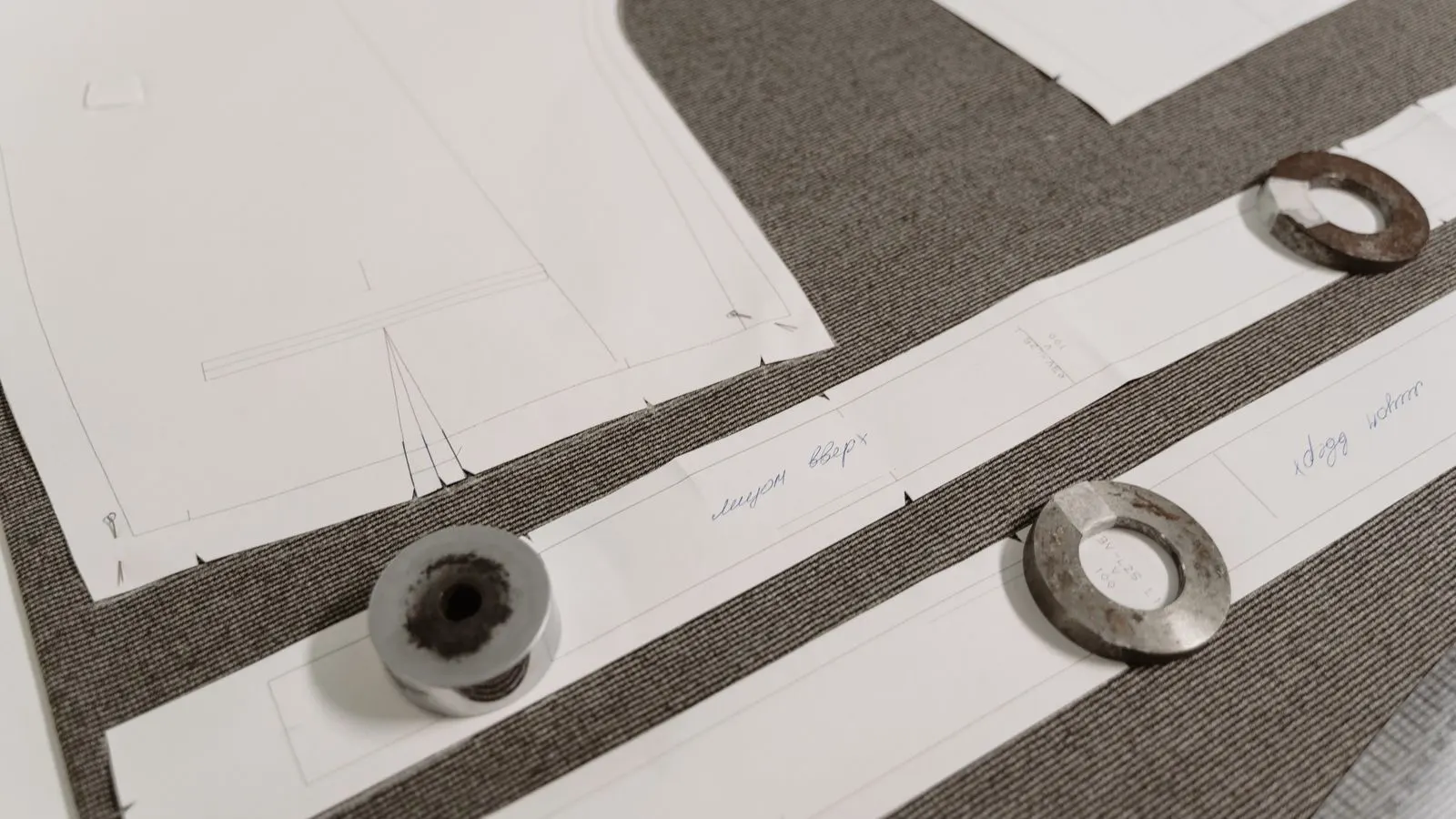
The buyer should ask the supplier to show the layout on a strip diagram. This diagram shows each station, the part position at each step, and the waste strip width. Review the diagram for material balance. If one side of the strip runs out of material while the other side has excess, the layout wastes stock. A balanced layout keeps the center of gravity stable, reducing burr and misalignment.
For parts with asymmetric features, consider a staggered layout. Placing features on alternating sides of the strip can improve material flow. This is common in automotive brackets and electrical enclosures. The buyer should verify that the staggered pattern fits within the press bed width and strip feed limits.
What to check in a multi-station die layout
Multi-station tools split work across several punches. Each station handles one or more features. The buyer should evaluate station count, station spacing, and press bed length. Too many stations in a short bed causes tool interference. Too few stations overload each punch, risking fatigue.
Check the station sequence. Drawing stations usually come before bending and cutting. If a bend is placed before a draw, the material may crack. The buyer should ask the supplier to justify the sequence with a material flow analysis. A simple flow chart showing material movement from feed to final part helps.
Press tonnage must cover the heaviest operation. A 2 mm thick steel draw requires more force than a 0.8 mm cut. The buyer should request a force calculation per station. The total tonnage should have a safety margin. A press that is under-toned for the layout will struggle, causing incomplete draws or punch breakage.
Strip width and feed speed affect throughput. A wide strip moves less per stroke. A narrow strip moves more but requires tighter control. The buyer should match strip width to the press feed system. A 50 mm strip may suit a small press. A 150 mm strip needs a larger feed mechanism.
How press capacity and tooling fit affect layout
The press sets hard limits. Bed length, stroke depth, and tonnage define what layouts are possible. A long-press bed allows more stations. A short bed forces a compact layout. The buyer should confirm the press specifications before approving the layout. A layout that fits on paper may not fit on the machine.
Tooling fit includes punch length, die height, and clearance. The buyer should review the tooling design checklist from the first article. This checklist covers punch clearance, die depth, and surface finish. If the layout requires deep draws, the stroke must match. A 25 mm draw needs a 25 mm stroke or more.
Consider future changes. A layout that works for one part may not adapt to a design revision. The buyer should ask if the tool can be modified. A modular die with interchangeable punch blocks offers flexibility. A fixed die with welded punch blocks is cheaper but harder to update.
Common layout mistakes to avoid
A common error is ignoring material stretch. Thin sheet stretches during draws. If the layout does not leave enough material for stretch, the part will be undersized. The buyer should ask for a stretch simulation or a flow analysis. A simple rule of thumb is to add material to the draw area based on gauge and depth.
Another mistake is over-staggering features. Staggering helps balance material, but too much stagger creates long, thin tabs that tear. The buyer should check the minimum tab width. A tab narrower than the material thickness may fail. A balanced stagger keeps tabs strong.
Burr is another issue. A poorly placed cut or a bent edge creates burr. The buyer should review the layout for edge conditions. A cut near a bend creates a stress riser. A cut on a flange edge creates a sharp burr. Adjusting the cut position or adding a trim station fixes this.
Criteria for comparing die layout options
Use the table below to compare layouts side by side. Each row is a criterion. The middle column says what to look for. The last column explains why it matters.
| Criterion | What to look for | Why it matters |
|---|---|---|
| Station count | Number of punches in the tool, matching feature count | More stations reduce per-station load, lower wear, and improve feature accuracy |
| Strip width | Width of the feed strip relative to part size | A balanced width reduces waste and keeps material flow stable |
| Press tonnage | Force required per station versus press capacity | Adequate tonnage prevents incomplete draws and punch fatigue |
| Stroke depth | Maximum draw or bend depth versus press stroke | Sufficient stroke completes deep features without binding |
| Material flow | Balance of material on both sides of the strip | Balanced flow reduces stretch, wrinkling, and misalignment |
| Modularity | Ability to swap punch blocks for design changes | Flexibility protects tool investment when part designs evolve |
Decision checklist for choosing a die layout
Before approving a layout, run through this numbered list. Each item is a yes or no check. If any answer is no, go back to the supplier and revise the layout.
- Does the station sequence match material flow, with draws before bends and cuts?
- Is the strip width balanced so both sides of the feed have equal material?
- Does the press tonnage cover the heaviest operation with a safety margin?
- Is the stroke depth sufficient for the deepest draw or bend?
- Have all features been assigned to a station with no conflicts?
- Is the layout modular enough to handle expected design revisions?
- Have burr and stretch risks been reviewed with a flow analysis?
- Does the tool fit the press bed and feed system without modification?
If the answers are all yes, the layout is ready for tooling. If not, the supplier should adjust the sequence, strip width, or station count. The buyer should not accept a layout that fails any of these checks. A small change in the diagram now saves a production stop later.
Final thoughts on layout selection
Die layout is a design decision, not a manufacturing accident. The buyer controls it by setting clear requirements and reviewing the supplier’s work. The criteria table and checklist above turn that review into a repeatable process. Use them for every complex part.
A good layout looks simple on the strip diagram. It has no wasted material, no conflicting features, and no hidden stress points. A bad layout hides problems until the first run. The difference is in the review. The buyer who checks the sequence, the flow, and the press limits before tooling is the buyer who gets a good part on the first try.
Frequently asked questions
How many stations does a complex part need?
It depends on the feature count, material thickness, and press capacity. A part with a deep draw, a flange, and multiple cuts often needs four to six stations.
Can a single-station die work for a complex part?
Only if the part has few features and thin material. A complex part with multiple features usually requires a multi-station layout to keep each punch load manageable.
What is the best strip width for a complex part?
The width should balance material on both sides of the feed and fit the press bed. A balanced width reduces waste and keeps the part centered.
How do I know if the press tonnage is enough?
Ask the supplier for a force calculation per station. The total tonnage should cover the heaviest operation with a safety margin to prevent incomplete draws.
What if the part design changes after the die is built?
A modular die with interchangeable punch blocks can be updated. A fixed die is cheaper but harder to modify, so consider future changes before finalizing the layout.